What Is an Enterprise Learning Management System?
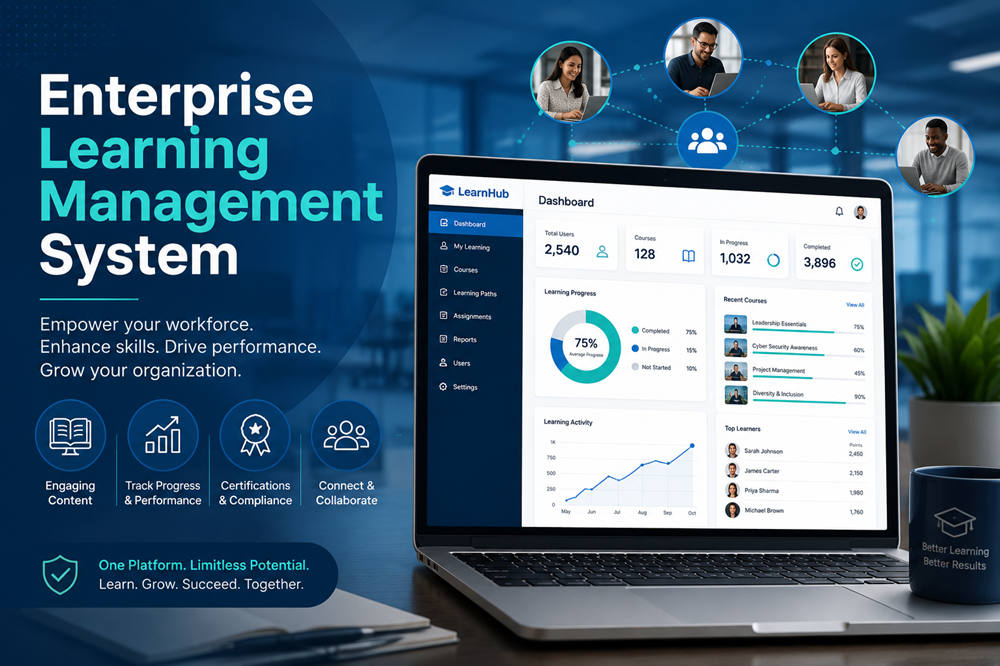
An enterprise learning management system, or enterprise LMS, is a platform that helps large organizations deliver, organize, and track training for employees, customers, contractors, and business partners.
A standard LMS may work well for a small company or a single training program. An enterprise LMS is designed for more complicated needs, such as thousands of users, multiple offices, different languages, strict compliance rules, and connections with existing business software.
It gives an organization one place to manage onboarding, professional development, certifications, product education, and mandatory training.
How Does an Enterprise LMS Work?
Administrators use the system to create or upload courses, organize learners into groups, assign training, set deadlines, and review results.
Learners sign in to complete activities such as:
- Video lessons
- Interactive courses
- Live virtual classes
- Quizzes and exams
- Documents and presentations
- Practical assessments
- Certification programs
The platform records each learner’s progress. Managers can see who has started or completed a course, how employees performed on assessments, and which certifications are about to expire.
Many enterprise systems also automate routine tasks. For example, a new employee can be added to an onboarding program as soon as their information enters the company’s human resources system. A manager may automatically receive a reminder when a team member misses a training deadline.
Enterprise LMS vs. Standard LMS
Both types of systems can host courses and track completion. The main difference is the level of scale and control they provide.
A standard LMS may be enough for a small organization with one group of learners and a limited course library. An enterprise LMS is better suited to organizations with several departments, business units, regions, or external audiences.
Enterprise platforms commonly provide:
- Large-scale user management
- Separate learning portals for different audiences
- Detailed administrator permissions
- Advanced reporting and analytics
- Automated user enrollment
- Multilingual course delivery
- Single sign-on
- Software integrations
- Stronger security controls
- Dedicated technical and implementation support
These tools allow a large organization to manage training centrally without forcing every team to use the system in exactly the same way.
Key Features of an Enterprise LMS
The right features depend on how the organization plans to use the platform. However, several capabilities are especially important at the enterprise level.
Organizational Hierarchies
Large companies need to arrange users by department, position, region, brand, or business unit.
A well-designed LMS can reflect the company’s actual structure. Managers may only see data for their own teams, while senior administrators can review learning activity across the organization.
Multiple Learning Portals
Some platforms allow an organization to create separate portals for employees, customers, franchisees, contractors, or sales partners.
Each portal can have its own branding, course catalog, login page, and administrator permissions. This makes it possible to serve different audiences without purchasing and managing several unrelated systems.
Automated User Management
Manually creating accounts for thousands of people is inefficient. Enterprise LMS platforms can connect with human resources or identity management systems to add, update, and deactivate users automatically.
They may also assign courses according to a person’s job title, department, location, or employment status.
Single Sign-On
Single sign-on allows employees to access the LMS using the same account they use for other workplace systems. It reduces password problems and makes the learning platform easier to use.
Course and Content Management
Organizations should be able to upload existing content and, in many cases, build simple courses inside the platform.
Common content options include videos, documents, quizzes, surveys, presentations, recorded webinars, and interactive lessons. Many systems also support widely used course formats such as SCORM and the Experience API, commonly called xAPI.
Personalized Learning Paths
A learning path combines several courses into a structured program.
For example, a newly promoted manager might receive courses on interviewing, performance reviews, workplace communication, and conflict resolution. A customer support employee may receive a different path based on the products they support.
Reporting and Analytics
Basic completion reports are useful, but large organizations often need deeper information.
An enterprise LMS may provide reports on:
- Overdue compliance training
- Certification status
- Assessment scores
- Course participation
- Learning activity by department
- Skill development
- Program effectiveness
- Training completed within a specific region
Some platforms can export this data to business intelligence tools for further analysis.
Mobile and Offline Learning
Employees in retail, healthcare, construction, transportation, and field services may not spend much time at a desk.
Mobile access allows them to complete training from a phone or tablet. Offline learning can be valuable when employees work in locations with limited internet access.
Multilingual and Regional Support
Global organizations may need translated courses, regional date formats, different time zones, and local compliance programs.
The platform should make it easy to give each learner the correct version of a course without creating unnecessary administrative work.
Security and Access Controls
An LMS may contain employee information, training history, assessment results, and certification records. Companies should look for features such as:
- Data encryption
- Role-based permissions
- Single sign-on
- Multi-factor authentication
- Audit logs
- Data backup and recovery
- Privacy management tools
- Clear data retention policies
Organizations in regulated industries may also need specific hosting, reporting, or compliance options.
Common Uses of an Enterprise LMS
An enterprise platform can support several types of learning at the same time.
Employee Onboarding
New hires can complete a planned series of courses covering company policies, workplace tools, security, benefits, and job responsibilities.
This creates a more consistent onboarding experience while allowing managers to spend more time on team-specific guidance.
Compliance Training
Organizations can assign required training on topics such as workplace safety, cybersecurity, data privacy, harassment prevention, or industry regulations.
The LMS records completion dates and assessment results, making it easier to prepare for an audit or compliance review.
Professional Development
Employees can use the platform to strengthen technical, leadership, communication, and management skills.
Learning paths may be based on current responsibilities, performance goals, or possible career moves.
Product and Sales Training
Sales and customer-facing teams need accurate information about products, pricing, features, and services.
When something changes, administrators can update the training and assign the new material to the appropriate groups.
Customer Education
Companies may use an LMS to teach customers how to use a product or service.
Software providers, for example, can offer setup courses, advanced tutorials, and certification programs. Better customer education may reduce basic support requests and help users get more value from the product.
Partner and Contractor Training
Franchisees, distributors, vendors, and contractors may need training without receiving access to internal company systems.
A separate learning portal can provide the necessary courses while keeping employee information and internal content private.
Certification Management
The LMS can award certificates, record expiration dates, and remind learners when renewal training is due.
This is especially useful in industries where employees must maintain current qualifications to continue working.
Benefits of an Enterprise LMS
Consistent Learning Across the Organization
A central platform helps ensure that employees receive approved and up-to-date information, even when they work in different departments or countries.
Less Manual Administration
Automated enrollment, reminders, reporting, and account management reduce the need to track training through emails and spreadsheets.
Faster Course Updates
When a policy or product changes, the organization can update the course once and distribute the new version immediately.
Flexible Access
Online and mobile learning allows employees to complete suitable courses around different work schedules and locations.
Clearer Training Records
Managers can quickly check completion, assessment, and certification data instead of searching through separate files.
Better Visibility Into Skill Gaps
Training data can help leaders identify where employees need more support. It can also guide hiring, promotion, and workforce development decisions.
Challenges to Consider
An enterprise LMS can solve many training problems, but it also requires planning and ongoing management.
Complex Implementation
Moving employee records and course content into a new system can take significant work. Connections with HR, identity, and reporting platforms must also be tested carefully.
A phased launch or pilot program can help identify problems before the platform is introduced company-wide.
Low Learner Engagement
Employees may rush through or ignore training that feels too long, outdated, or unrelated to their work.
The organization still needs useful content, clear learning goals, and support from managers. The LMS cannot make a poor course valuable on its own.
Ongoing Administration
Someone must maintain the course catalog, manage permissions, answer learner questions, review reports, and remove outdated content.
Automation reduces this workload, but it does not eliminate it.
Cost
Enterprise pricing may include software licenses, implementation, data migration, integrations, support, content development, and administrator training.
Companies should compare total costs rather than focusing only on the advertised subscription price.
Too Much Complexity
Some platforms include hundreds of features that most employees will never use. An overloaded interface can make simple training tasks frustrating.
The best system is not necessarily the one with the longest feature list. It is the one that fits the organization’s actual needs.
Cloud-Based vs. Self-Hosted Enterprise LMS
A cloud-based LMS is hosted and maintained by the provider. The provider usually handles software updates, backups, and technical maintenance.
Cloud platforms are often quicker to launch and easier for organizations with limited internal IT resources. They are commonly sold through monthly or annual subscriptions.
A self-hosted LMS runs on the organization’s own servers or private infrastructure. It may offer more control over customization and data, but the organization becomes responsible for maintenance, security, updates, and system performance.
Most companies choose a cloud-based platform for convenience. Self-hosting may be more appropriate when strict technical, security, or regulatory requirements make outside hosting unsuitable.
How to Choose the Right Enterprise LMS
Start by identifying the problem the platform needs to solve. Avoid comparing vendors before the organization has clear requirements.
Important questions include:
- How many people will use the system?
- Are the learners employees, customers, partners, or a mix?
- Which training programs will move into the LMS?
- What software must connect with the platform?
- Which reports do managers and auditors need?
- Will learners need mobile or offline access?
- How many languages and regions must the platform support?
- Who will create and update the courses?
- How much administrator support is available?
- Which security and privacy requirements must be met?
When evaluating vendors, also review:
- Implementation and migration support
- Ease of use for learners and administrators
- Integration options and APIs
- Accessibility features
- Reporting flexibility
- Customer support
- Service-level agreements
- Data ownership and export options
- Contract terms
- Total cost over several years
A product demonstration can show how the platform works, but a pilot test provides more useful information. Let a small group of learners, managers, and administrators use the system with real training content before making a final decision.
When Is an Enterprise LMS Worth It?
An enterprise LMS becomes valuable when training can no longer be managed reliably through spreadsheets, emails, shared folders, and separate platforms.
It is especially useful for organizations with a large or distributed workforce, frequent onboarding, mandatory certifications, several learner audiences, or detailed reporting requirements.
The system should make training easier to manage and easier to complete. Choosing a platform that matches real business needs is more important than buying the most complicated option available.